Google Backdoor - Misconfigured Sign in With Google
tl;dr
If your org has publicly exposed internal dashboards with Sign in with Google authentication method, then ex-employees can still have access to those dashboards with alias(+1) emails if the application is just validating the email’s domain.
Storytime
This all started while doing an application pentest for my org. Normally, to test for IDORs and business logic bugs, I sign up with two test accounts, one with a work email ID and the other one with an alias to my work email ID, i.e. kumar@example.com and kumar+1@example.com. Note that in this case, kumar+1@example.com is just an alias for kumar@example.com but not an actual Google account.
Similarly, one of the applications I was testing required a Google account to do the signup. In this case, I was required to create two different Google accounts instead of using an alias for the email handle, so I created a Google alias account using an org-owned domain: kumar+1@example.com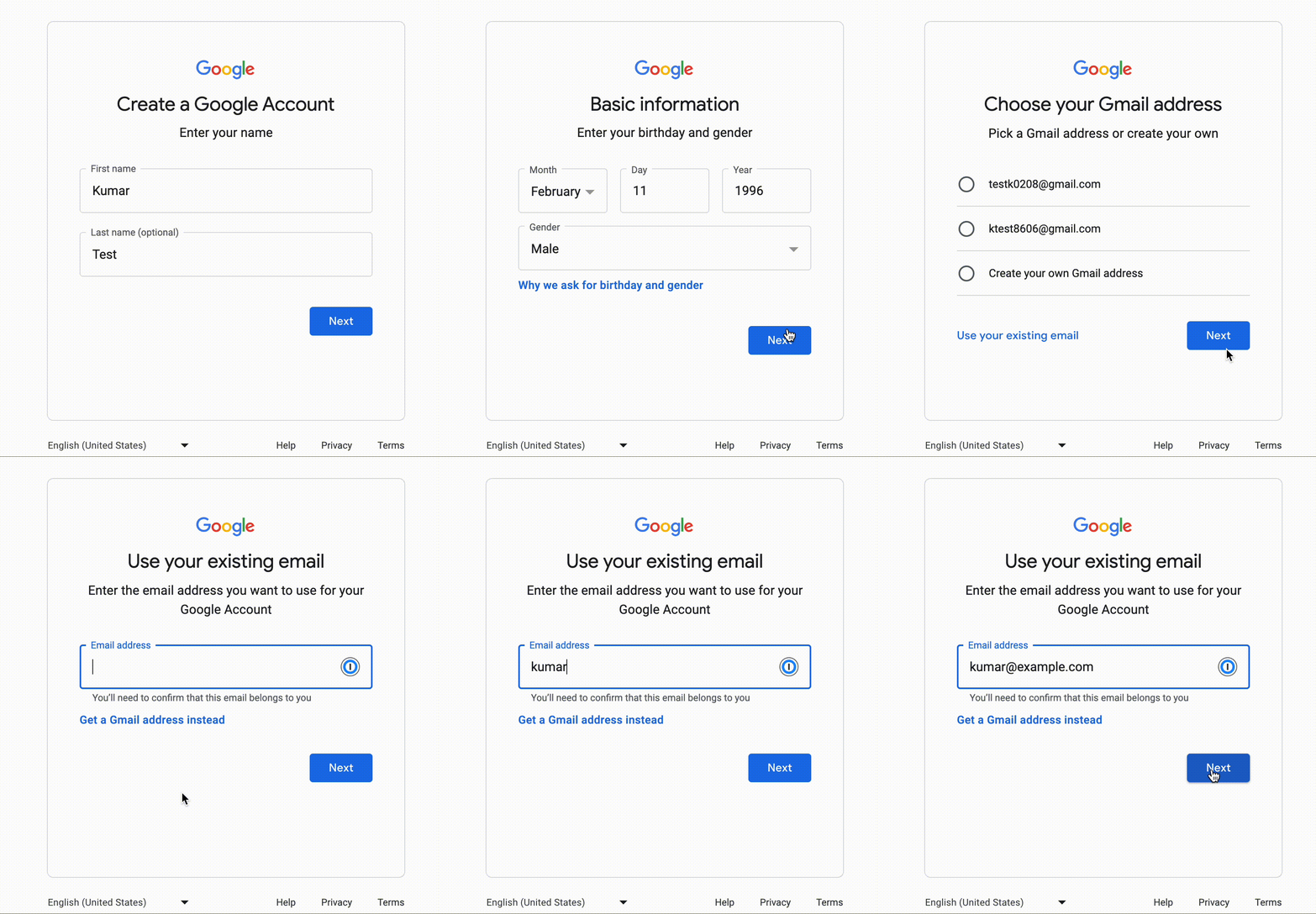
Google custom domain signup
While creating a Google alias account, a thought popped out, why I am even allowed to create a Google account with my org’s domain? I immediately reached out to my team, asking if we can control this functionality from the Google Workspace dashboard? To our surprise, we didn’t find any way to control it.
We then started evaluating the risks of it and found out that Google alias(+1) accounts can be used to log in to internal dashboards having Sign in with Google authentication method.
On digging further, we found out that it was only happening with applications which were verifying only the email domain and not the hd parameter from idtoken, which Google returned.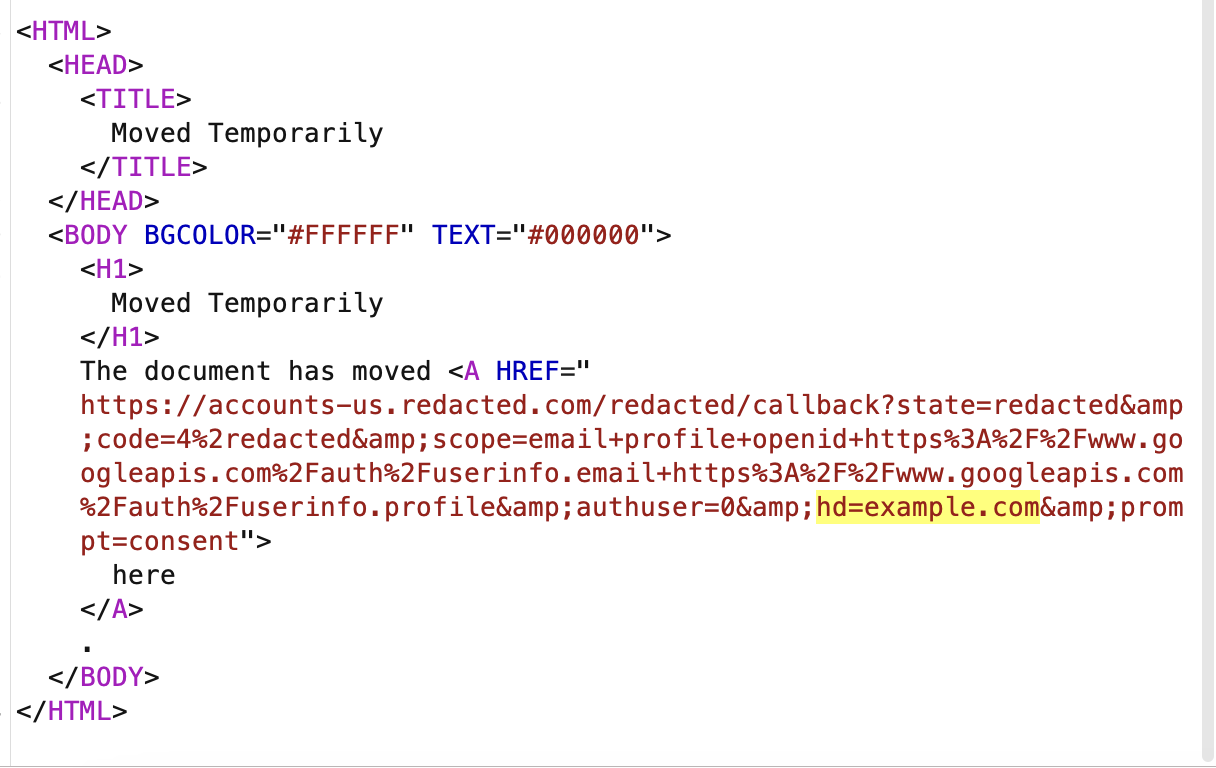
hd param in primary account
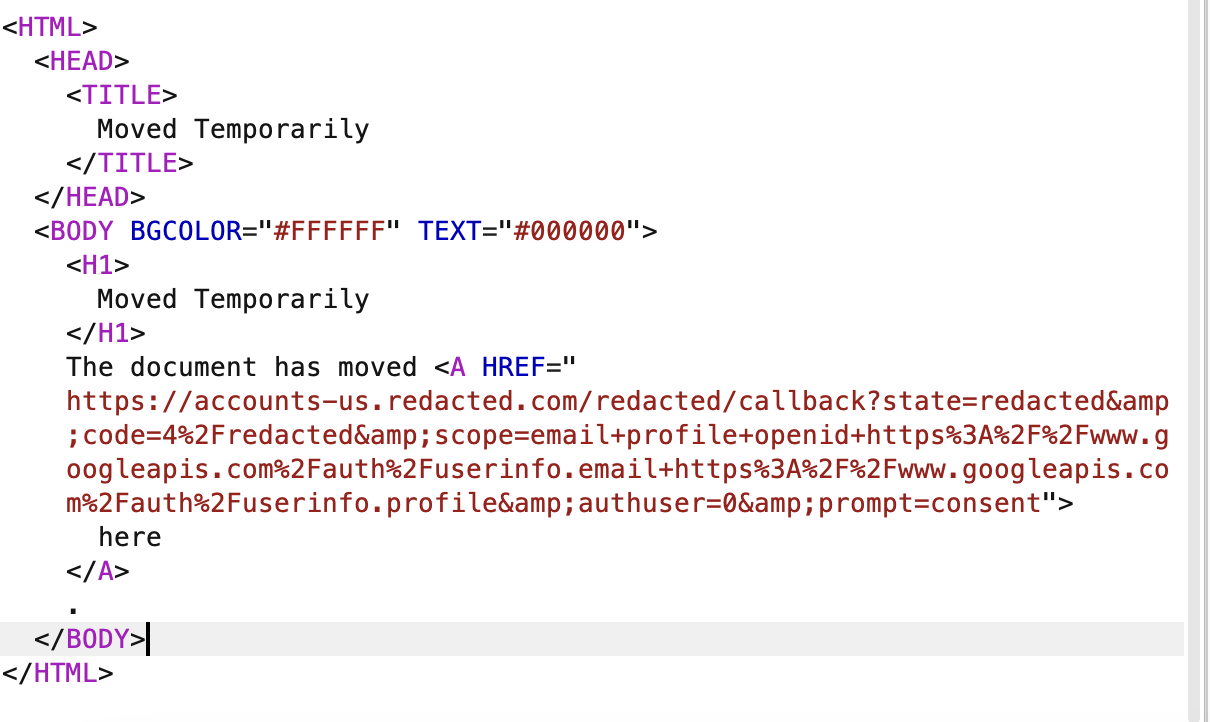
No hd param in alias account
Impact
An ex-employee can continue having access to publicly exposed internal dashboards which have misconfigured Sign-in with Google authentication method. We have tested out multiple SaaS products which have “Sign in with Google” option and the majority of them were misconfigured.
Steps to reproduce
- Goto: https://accounts.google.com/signup/v2/createaccount?theme=glif&flowName=GlifWebSignIn&flowEntry=SignUp
- Enter the name and date of birth.
- Click use existing email.
- Enter your org’s email id and append +1. E.g. org.controlled.email.id+1@example.com.
- Now you will receive an email with an OTP to your current org email ID at: org.controlled.email.id@example.com.
- Enter the OTP in the registration form.
- Set the password.
- A Google account will be successfully created for: org.controlled.email.id+1@example.com.
- Now you can log in to misconfigured services using the
Sign in with Googleauthentication method using org.controlled.email.id+1@example.com.
As long as you are part of your org and you have access to your primary work email address, there’s no issue. But assume now you have left your org and you no longer have access to your org email, you would still be able to log in to your alias(org.controlled.email.id+1@example.com) Google account.
So you can use that to log in to misconfigured publicly exposed internal dashboards which uses Sign in with Google as an authentication method.
Fix
- Don’t just validate the email domain. Validate the
hdtoken from Google’s returned response. - Block all emails of the following format so that org members can’t create an alias account:
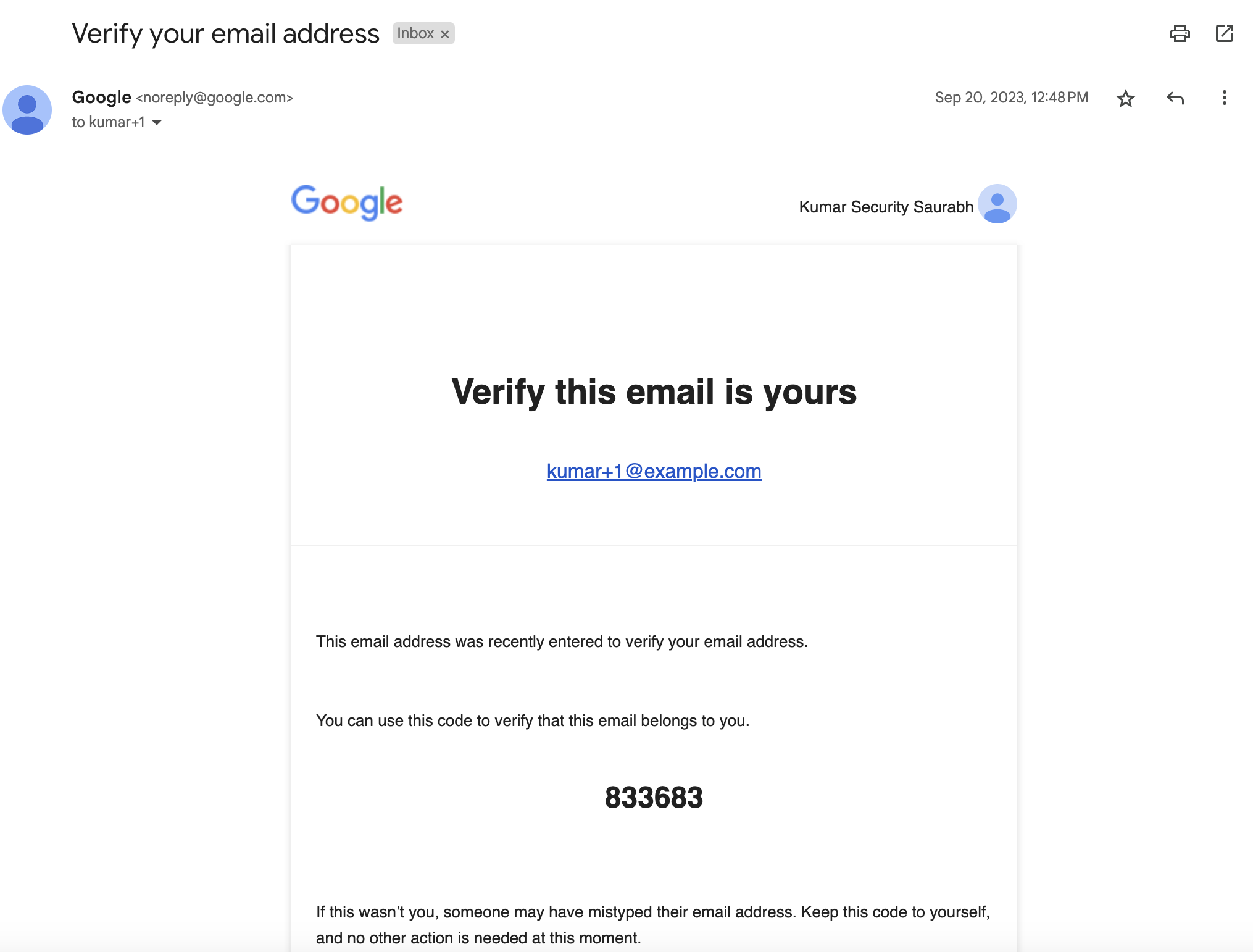
Alias account Google verification email
How companies responded
I have tested all the HackerOne and Bugcrowd programs to which I had access, out of those, only 10 programs and 4 outside of those platforms were vulnerable, i.e. an ex-employee can use this method for exploitation on those products. And two of those is the Identity Provider.
Sadly, only a few of them fixed it and the rest closed it as acceptable risk or no risk at all. And few of them have yet to respond.